Circular maze generator for round, printable mazes
This circular maze generator draws a round maze made of rings. You start in the center and find the way out through the rim. Choose from 3 to 36 rings, pick how the paths twist, then download a 300 DPI PNG and a two page PDF with the answer key.
By The Mazeloom team (Product and testing). Last updated .
How to use the circular maze generator, step by step
- First, set the shape to Circle under Shape and size.
- Then press a difficulty button, or type a ring count from 3 to 36.
- Next, choose a path feel and a Loops value, and pick Classic lines or Kids.
- Press New maze until the rings look the way you like, and note the seed.
- Finally, press Download PNG + PDF to get the round puzzle and its answer key.
The live preview is always free, and you get one free PNG and PDF export a day. See the pricing page for Pro, $19 once, with clean files and a commercial license, or read how we test every puzzle.
What a circular maze generator draws
A round maze swaps rows and columns for rings. The center is a single small disc, and that is where the solver starts. Around it sit rings of curved cells, and the exit is a gap somewhere in the outer rim. So the goal is to work from the middle out to the edge.
Rings change how the eye reads the puzzle. On a square grid, you can scan along straight rows. However, on a circle every corridor bends, and the walls between rings run like spokes on a wheel. As a result, a circle maze often feels harder than a square one with the same number of cells.
Rings, cells and the theta grid
Maze builders call this layout a theta maze, after the Greek letter used for angles. The engine first lays out the rings. Then, for each ring, it decides how many cells to cut it into. Outer rings are longer, so they need more cells. Otherwise the cells near the rim would grow very wide.
To keep every cell close to square, a ring splits its cells when they get about twice as wide as they are tall. For this reason, you will see some cells in one ring touch two cells in the next ring out. That is normal, and it keeps the corridors even from the center to the rim.
After the grid is ready, the engine carves the paths the same way it does on a square grid. It uses the method you picked under Paths. Then a breadth first search finds the route from the center disc to the exit.
Picking a ring count for the circular maze generator
The ring count sets the difficulty. For example, Easy uses 6 rings, which suits small kids with a crayon. Medium uses 10, Hard uses 15 and Expert uses 22. You can also type any number from 3 up to 36 for a poster sized puzzle.
Also think about the paper. A round maze fits inside the shorter side of the page, so many rings make each corridor narrow. Therefore, pick thin walls for 20 rings or more, and bold walls for a small maze that young kids will color in.
Loops work on circles as well. At 0 there is one true path out. Raise the slider, and some dead ends gain a second exit, so the solver can choose between routes.
What changes when you switch to a circle
A few settings do not apply to a round maze. Rooms only fit a square grid, so they switch off. In addition, the Block and Dungeon styles need square cells, so a circle falls back to Classic lines. The Kids style still works, with bold round walls, colors, a green start dot and a star at the finish.
Start and finish is fixed too. A circle always starts in the center and exits through the rim, whatever you pick under that control.
Circular maze generator settings
| Setting | Value |
|---|---|
| Rings | 3 to 36, center disc included |
| Difficulty presets | 6, 10, 15 or 22 rings |
| Start and exit | start in the center, exit in the outer rim |
| Styles | Classic lines or Kids (Block and Dungeon fall back to Classic) |
| Loops | 0 to 100%, rooms not available |
| Downloads | 300 DPI PNG, answer PNG, two page PDF (SVG with Pro) |
Circular maze generator tested with a real run
We built this maze with the same code the tool on this page uses, with this page's settings and a fixed seed. So the image and the numbers below come from that run, not from a mockup.
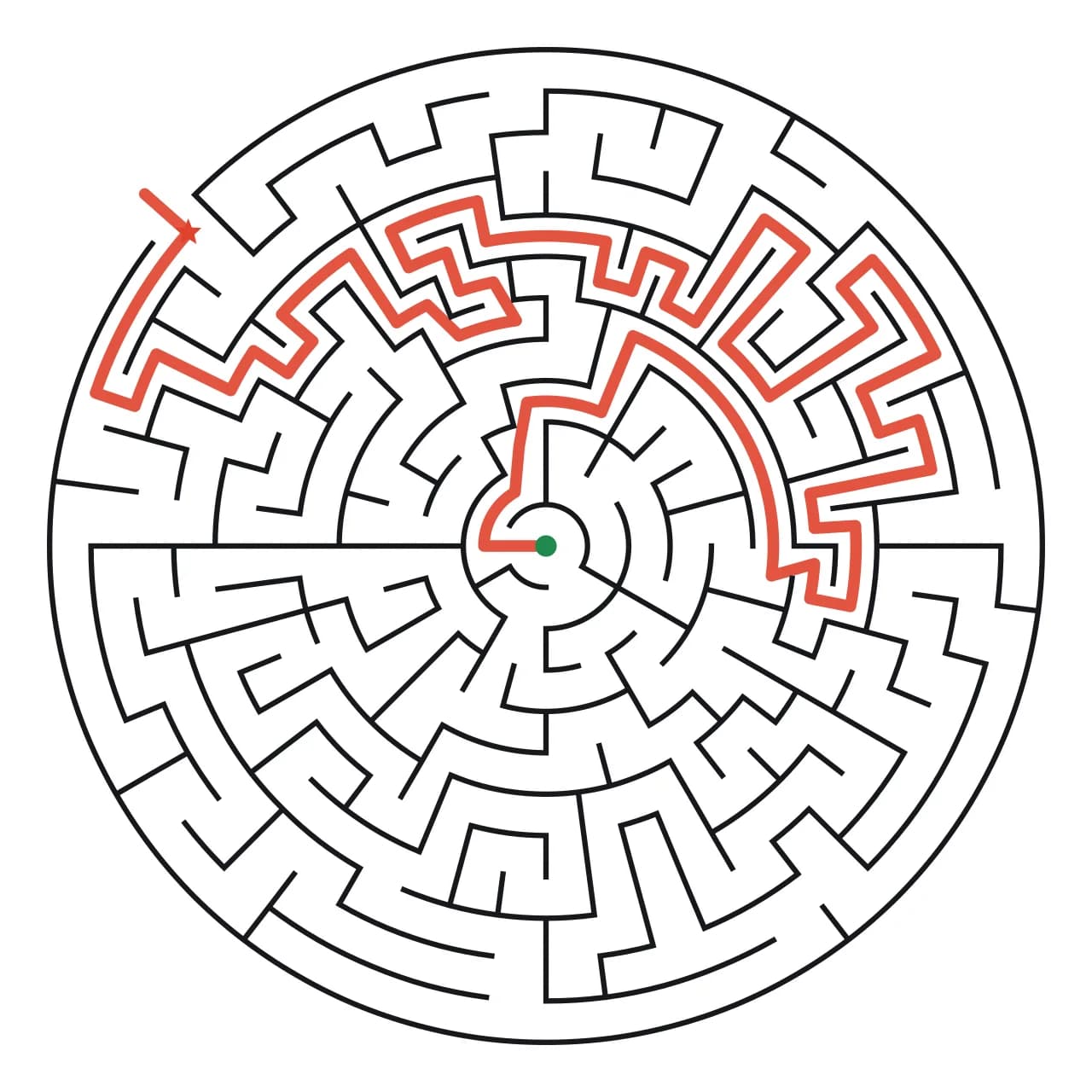
- Test input
- 12 ring circle, seed sample-circular-maze-genera
- Output
- PNG + PDF with answer key
- Cells
- 379
- Dead ends
- 38
- Loops
- 0
- Answer length
- 80 cells
- PDF size
- 24 KB
- Build time
- 22 ms
How we check mazes: a solver walks every maze before it is saved, and we open each PDF to check the page, the answer key and the print size. More on the about page.
Circular maze generator FAQ
Where does a round maze start?
In the small disc at the center. The exit is a gap in the outer rim, placed at random by the seed.
How many rings can a circle maze have?
From 3 to 36. The difficulty buttons pick 6, 10, 15 or 22 rings, and you can type any value in that range.
Can I add rooms to a circle maze?
No. The cells in a ring are curved wedges, not squares, so rooms only work on the square grid.
Is a circle maze harder than a square one?
Often, yes. Every corridor bends, so it is harder to scan ahead. Fewer rings make it easier again.