Maze generator with multiple paths
This maze generator with multiple paths adds loops to a normal maze, so there is more than one way to the exit. Move the Loops slider from 0 to 100 percent. Higher values give more routes. The answer key always draws the shortest one, and the first export each day is free.
By The Mazeloom team (Product and testing). Last updated .
How to use the maze generator with multiple paths, step by step
- Pick a shape and a difficulty, or set your own columns and rows.
- Then move the Loops slider above 0. Around 40 percent is a good start.
- Press New maze a few times, because each seed places the loops in new spots.
- Turn on Show the answer to see the shortest route among all the choices.
- Finally, press Download PNG + PDF to get the puzzle and its answer key.
The live preview is always free, and you get one free PNG and PDF export a day. See the pricing page for Pro, $19 once, with clean files and a commercial license, or read how we test every puzzle.
Perfect mazes and mazes with loops
A perfect maze has exactly one path between any two cells. There are no loops and no closed islands of wall. So if you take a wrong turn, you always hit a dead end and must walk back. Most printed mazes work this way, and our tool makes one too when Loops sits at 0.
An imperfect maze breaks that rule on purpose. Some walls are missing, so corridors join up into rings. As a result, two or more routes reach the exit. Maze makers call this braiding, and a maze with no dead ends at all is called a braid maze.
How the maze generator with multiple paths adds loops
First, the engine carves a perfect maze with the method you picked under Paths. Then it walks through the dead ends. For each one, it rolls a number against your Loops value. If the roll wins, it knocks down one more wall at the end of that corridor, so the dead end gets a second way out.
So the slider reads as a share of dead ends. At 20 percent, about one in five dead ends opens up, and the maze still feels close to a classic one. With 60 percent, most corridors connect, and the solver has many choices. Finally, at 100 percent, every dead end opens, which gives a full braid maze.
Rooms add loops as well. Each open hall touches several corridors, so it acts like a crossroads. For this reason, a grid with rooms can have more than one route even with Loops at 0.
Why a maze with several routes plays differently
In a perfect maze, a solver can follow one wall with a hand and always get out. That trick fails once loops appear, because the hand can circle an island forever. Therefore, a looped maze asks the solver to plan and to remember which way they came.
Loops also change the mood. Fewer dead ends mean less backtracking, so young kids get stuck less often. On the other hand, adults face a harder question: there are many ways out, but which one is the shortest? That makes a nice race between two players with pencils.
In games, loops matter too. A dungeon map with rings lets players flank a monster or escape by another hall. A map with one true path tends to feel like a straight line with side rooms.
The answer key for a maze generator with multiple paths
Every maze is checked by a breadth first search before you see it. This search spreads out from the start one step at a time, in all directions at once. Because of that, the first time it reaches the exit, it has found the shortest route. That route is the red line on the answer key.
Other routes still exist, of course. If two routes have the same length, the key shows one of them. So when a student finds a different path that is just as short, it still counts as a correct answer.
Loop settings in the maze generator with multiple paths
| Setting | Value |
|---|---|
| Loops | 0 to 100% of dead ends get a second way out |
| Loops at 0 | a perfect maze with exactly one route |
| Loops at 100 | a braid maze with no dead ends left |
| Answer key | the shortest route, found by breadth first search |
| Shapes | square grid and circle both support loops |
Maze generator with multiple paths tested with a real run
We built this maze with the same code the tool on this page uses, with this page's settings and a fixed seed. So the image and the numbers below come from that run, not from a mockup.
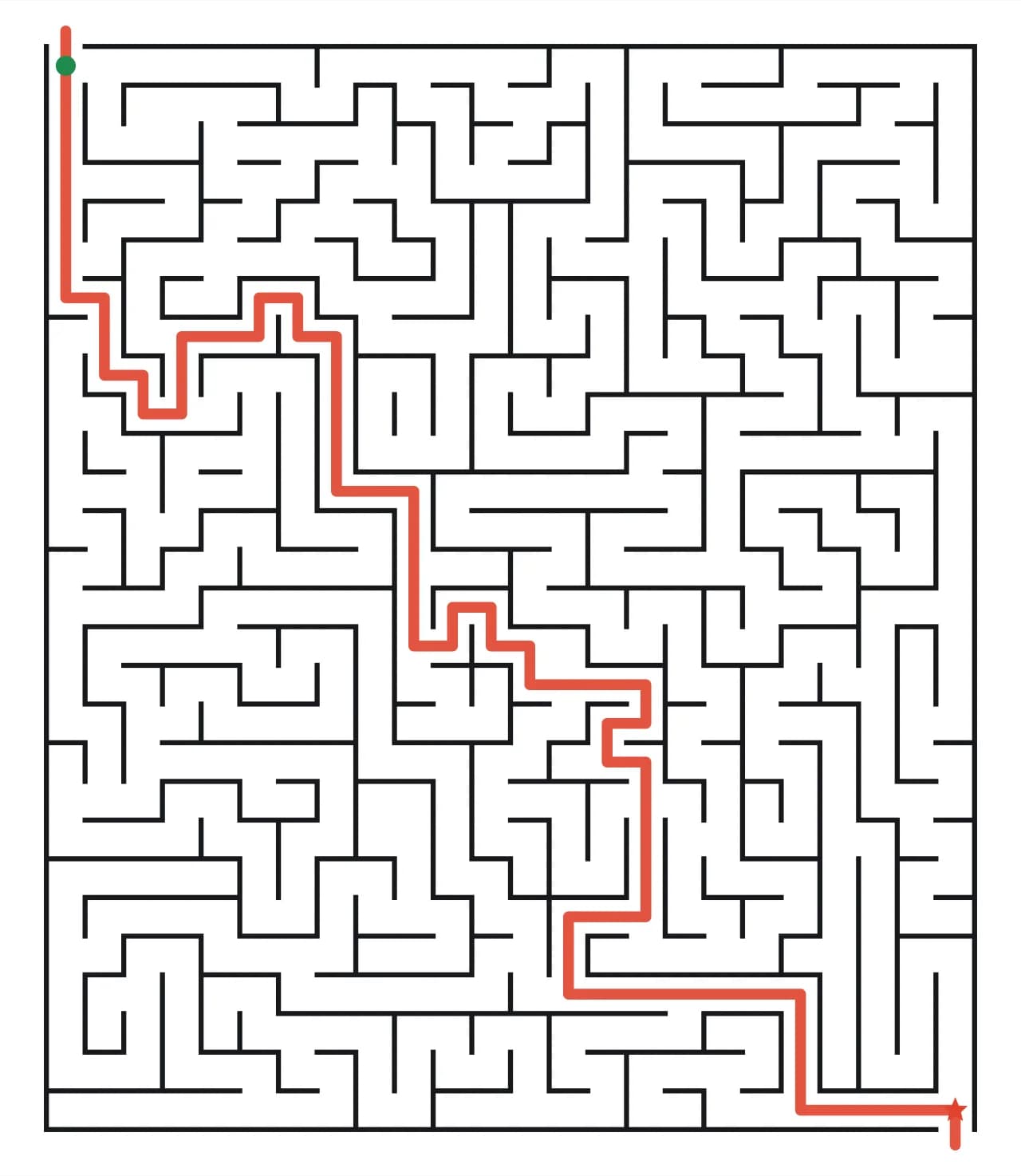
- Test input
- 24 x 28 grid, seed sample-maze-generator-with-
- Output
- PNG + PDF with answer key
- Cells
- 672
- Dead ends
- 38
- Loops
- 29
- Answer length
- 65 cells
- PDF size
- 13 KB
- Build time
- 13 ms
How we check mazes: a solver walks every maze before it is saved, and we open each PDF to check the page, the answer key and the print size. More on the about page.
Maze generator with multiple paths FAQ
What does the Loops slider do?
It sets the share of dead ends that get a second way out. Each opened dead end joins two corridors, which creates a loop and another possible route.
Which loop value should I use?
Try 20 to 40 percent for a maze that still has some traps. Use 60 or more when you want many routes and very little backtracking.
Does the answer key show every route?
No. It shows the shortest route only. Any other route of the same length is also a valid solution.
Can a circle maze have loops?
Yes. The Loops slider works on both the square grid and the circle, so a round maze can have several ways out too.