Word search maker with answer key
This word search maker with answer key builds the puzzle and its solution at the same time. Type your words, set the grid, and turn on Show the answer to see every word marked. Then download a puzzle PNG, an answer PNG and a two page PDF with the key on page 2.
By The Mazeloom team (Product and testing). Last updated .
How to use the word search maker with answer key, step by step
- First, type your words in the Word list box, one per line, or pick a ready theme.
- Then, set the Columns and Rows sliders, and choose a level in the Directions menu.
- Next, tick Show the answer under the preview to check where each word sits.
- After that, add a Title on the PDF so the puzzle page and the key page match.
- Finally, press Download PNG + PDF to get the puzzle, the answer PNG and the PDF.
The live preview is always free, and you get one free PNG and PDF export a day. See the pricing page for Pro, $19 once, with clean files and a commercial license, or read how we test every puzzle.
How the answer key is drawn
Every placed word gets a rounded highlight band on the answer key. The band runs from the first letter to the last, so you can see the word and its direction in one glance. Diagonal and backward words get the same band, just turned to match.
The key uses the exact grid from the puzzle. Nothing moves and no letter changes. As a result, a teacher can hold the two sheets side by side and compare them square by square.
In addition, the preview shows the same bands when you tick Show the answer. So you can check the key before you spend a download.
Why each word appears only once
A key is only useful when it is the only right answer. Random filler letters can spell a listed word by accident, and then a student finds a second copy that the key does not mark. That leads to arguments at grading time.
To stop this, the engine scans the full grid after it fills the gaps. If a listed word shows up a second time, it re-rolls the filler letters around it. Therefore, each word on the list appears exactly once. The one exception is a short word inside a longer listed word, for example RAIN inside RAINBOW.
Also, a word that cannot fit is never cut short. Instead, the tool reports it in a note, so the key never marks half a word.
Checking students' work with the word search maker with answer key
Print the puzzle for the class and keep page 2 of the PDF for yourself. Because the bands are bold, you can check a sheet from arm's length. For a quick grade, count the circled words and compare the total with the list.
For example, a 14 x 14 grid on the Medium level holds diagonals, and those are the words students most often miss. The key shows them at once. You can also save the seed, since the same seed and settings always rebuild the same puzzle and the same key.
What the answer key does not include
The key marks words with bands. However, it does not list coordinates like row 3, column 7, and it does not number the words. There is no online solving either, so students work on paper.
For puzzle books, the answers go at the back with 4 solutions a page. Single puzzles put the key on its own page. Free downloads carry a small credit line, while a Pro download removes it and adds SVG files for both sheets.
Answer key settings in this word search maker
| Setting | Value |
|---|---|
| How words are marked | Highlight band over each word |
| Where the key goes | Answer PNG and page 2 of the PDF |
| Book answer pages | 4 solutions a page, at the back |
| Words per puzzle | Up to 40 |
| Grid size | 6 to 25 columns and 6 to 25 rows |
| File formats | 300 DPI PNG, two page PDF, SVG with Pro |
Word search maker with answer key tested with a real run
We built this word search with the same code the tool on this page uses, with this page's settings and a fixed seed. So the image and the numbers below come from that run, not from a mockup.
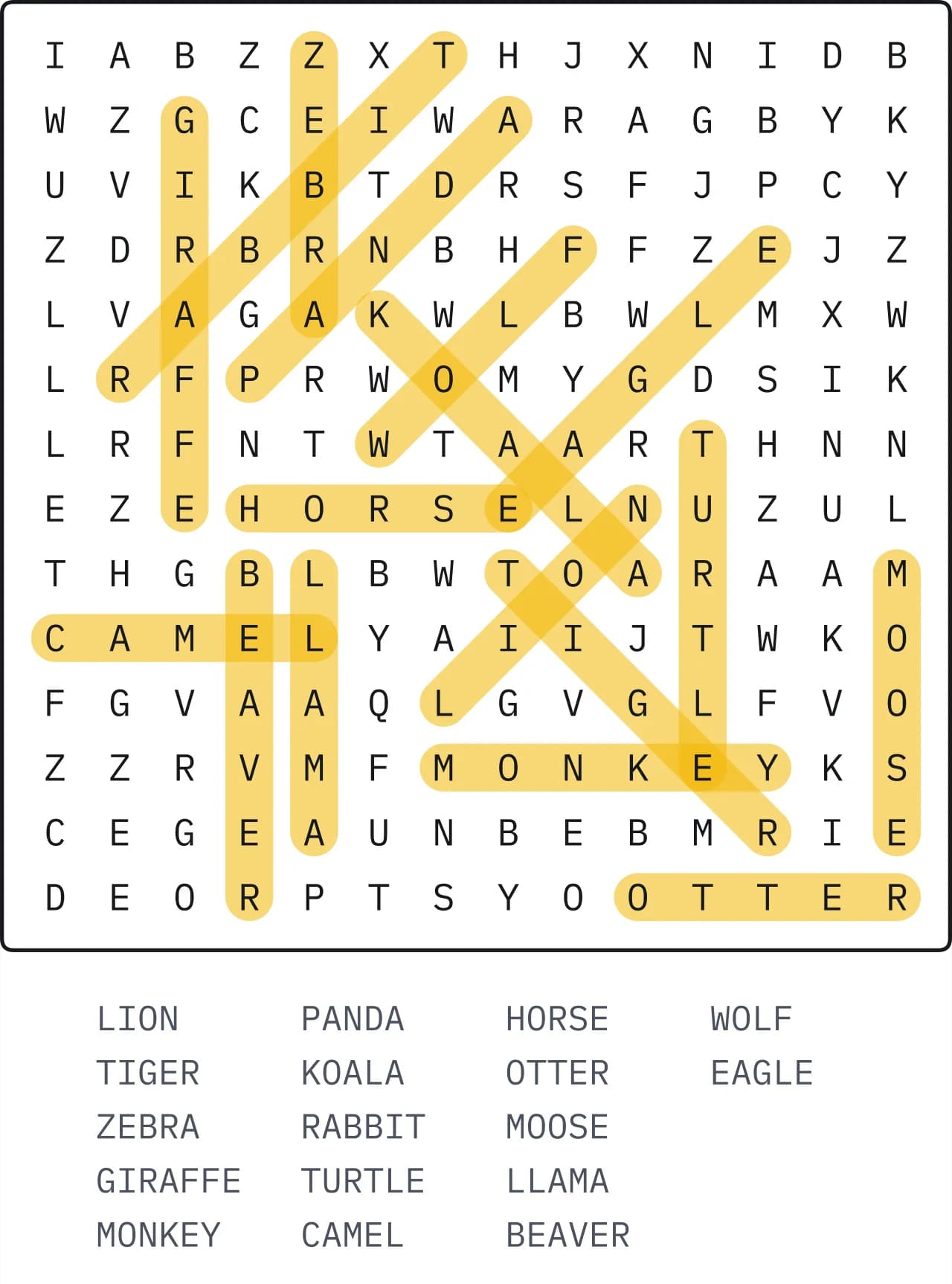
- Test input
- 14 x 14 grid, 17 words, seed sample-word-search-maker-wi
- Output
- PNG + PDF with answer key
- Words
- 17
- Left out
- 0
- Directions
- medium
- Grid
- 14 x 14
- PDF size
- 15 KB
- Build time
- 54 ms
How we check word searches: a scan confirms that every listed word appears in the grid exactly once, and we open each PDF to check the grid, the answer key and the print size. More on the about page.
Word search maker with answer key FAQ
Is the answer key free?
Yes. Every free download includes the answer PNG and the key on page 2 of the PDF, with a small credit line.
Can I see the answers before I download?
Yes. Tick Show the answer under the preview, and every word gets its highlight band right away.
Can a word show up twice in the grid?
No. The engine re-rolls filler letters until each listed word appears once, except a short word inside a longer one.
Does the key work for backward and diagonal words?
Yes. The band follows the word in any of the 8 directions, so Hard puzzles get a full key too.
Where are the answers in a puzzle book?
At the back of the book, with 4 solutions on each answer page and page numbers throughout.