Printable word search maker for class, home and events
This printable word search maker gives you a puzzle that is ready for paper. Choose US Letter or A4, add a title, and pick upper or lowercase letters. Then download a two page PDF with the puzzle first and the answer page second, plus 300 DPI PNG files of both.
By The Mazeloom team (Product and testing). Last updated .
How to print a puzzle with the printable word search maker, step by step
- First, choose a theme or type your own words in the Word list box.
- Then set Columns and Rows, and pick Easy, Medium or Hard under Directions.
- Next, tick Lowercase letters for young readers, and keep Print the word list on.
- After that, type a title on the PDF and choose US Letter or A4 under Paper.
- Finally, press Download PNG + PDF and print page 1 for solvers and page 2 for yourself.
The live preview is always free, and you get one free PNG and PDF export a day. See the pricing page for Pro, $19 once, with clean files and a commercial license, or read how we test every puzzle.
Printing for class, home and events
In a classroom, one puzzle usually goes to the whole group. So make it once, print a stack and keep the answer page at your desk. A spelling list or unit vocabulary works well, because students read each word several times while they hunt.
At home, a puzzle is a quiet activity for a rainy afternoon or a long car ride. For example, use the names of family members, pets or places you plan to visit. Besides, kids like finding words they already know.
Events need a different touch. A baby shower, a wedding table or a school fair can each have a puzzle with its own words and title. Then print as many copies as you have guests. Also, keep the seed, so you can print the exact same puzzle again next year.
Paper size, PNG versus PDF
Paper comes in two sizes. US Letter is standard in the United States and Canada. A4 is standard in most other countries. So pick the one in your printer tray, and the PDF lays out the puzzle to fit it.
The PDF is the best choice for printing. It has two pages: the puzzle on page 1 and the answer key on page 2. As a result, you can print just page 1 for solvers. Meanwhile, the PNG files suit other jobs. Each one is 300 DPI, which stays sharp on paper. For example, drop the PNG into a newsletter, a slide or a worksheet you are already building.
Pro downloads add SVG files and remove the small credit line. However, the free files print just as well for home or class use.
A printable word search maker for young readers
Early readers often learn lowercase letters first. Therefore, the Lowercase letters box changes both the grid and the word list. A child can then match the shapes on the list to the shapes in the grid.
Next, keep things simple. A 10 by 10 grid with Easy directions only runs words across and down. Ten short words is plenty for a first puzzle. In addition, leave Filler letters on Any letter A to Z, because the other option is much harder to read.
Finally, print the answer page too. Every word on it is marked with a highlight band. So a helper can check the work quickly, or a child can check it alone.
What you will not find here
This tool prints rectangle grids only. It does not make picture or shape word searches, such as a heart or an animal outline. It also cannot put images or clip art in the grid.
In addition, there are no AI word suggestions, no crosswords and no clue lists. The puzzles are not playable online either. They are made to be printed, solved with a pencil and checked against the answer page.
Print settings at a glance
| Setting | Options |
|---|---|
| Paper | US Letter or A4 |
| Title | Up to 60 characters, printed on the PDF |
| Letters | Uppercase or lowercase, in the grid and the word list |
| Word list | Printed under the grid, or hidden |
| Files | 300 DPI PNG, answer PNG, two page PDF (puzzle, then answer key) |
| Pro extras | SVG files, no credit line, commercial license |
| Book mode | 1 to 100 puzzles, 8.5 x 11, 8 x 10 or 6 x 9 in |
Printable word search maker tested with a real run
We built this word search with the same code the tool on this page uses, with this page's settings and a fixed seed. So the image and the numbers below come from that run, not from a mockup.
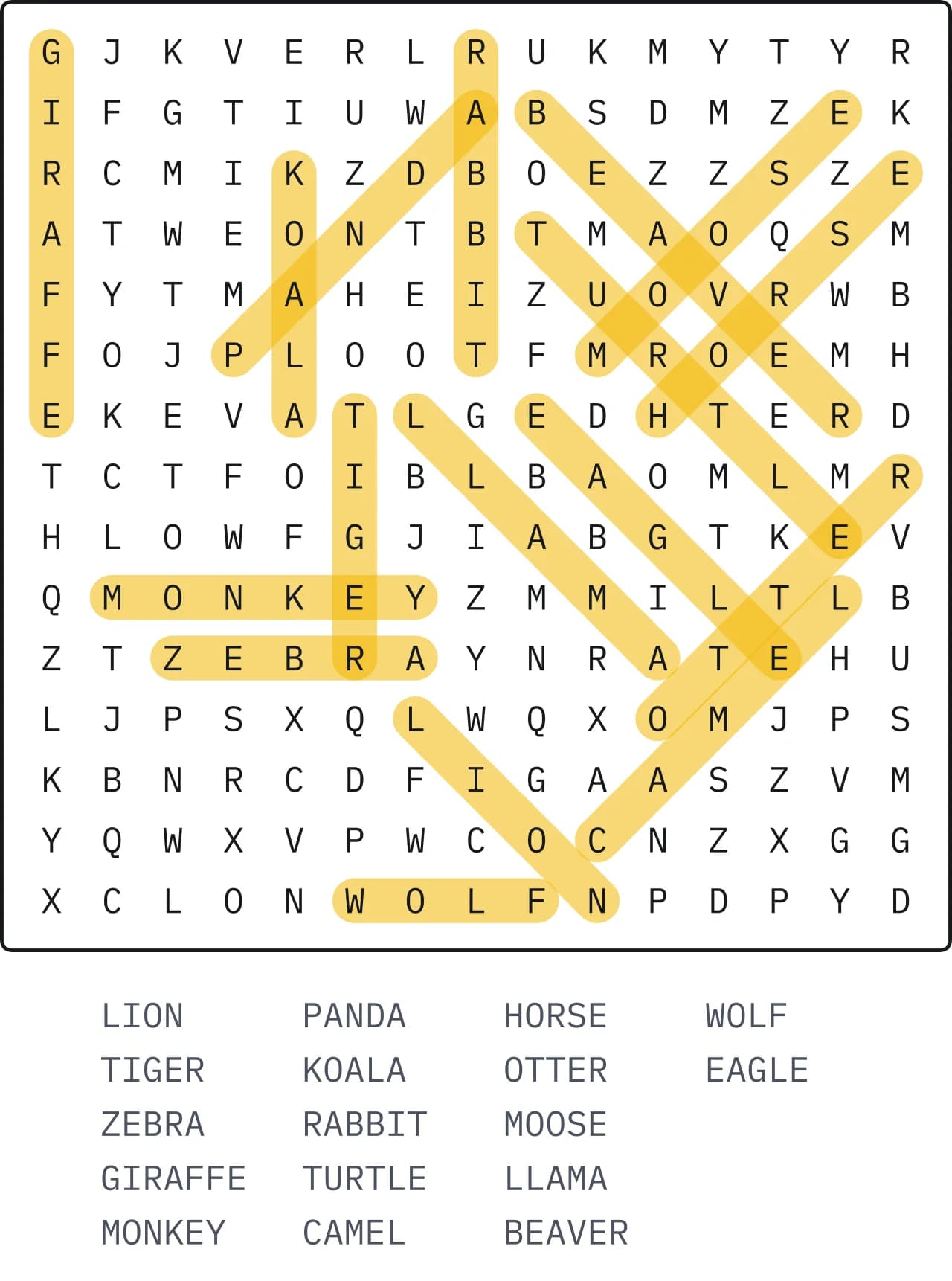
- Test input
- 15 x 15 grid, 17 words, seed sample-printable-word-searc
- Output
- PNG + PDF with answer key
- Words
- 17
- Left out
- 0
- Directions
- medium
- Grid
- 15 x 15
- PDF size
- 15 KB
- Build time
- 18 ms
How we check word searches: a scan confirms that every listed word appears in the grid exactly once, and we open each PDF to check the grid, the answer key and the print size. More on the about page.
Printable word search maker FAQ
Is the printable word search maker free?
Yes. You get 1 free export a day with a small credit line, and no account is needed.
Should I print the PDF or the PNG?
Print the PDF. It fits your paper and keeps the answer key on its own page. Use the PNG inside other documents.
Can I print the puzzle without the answers?
Yes. Print only page 1 of the PDF, or use the puzzle PNG. The answers sit on page 2 and in a separate PNG.
Does it print lowercase letters?
Yes. Tick Lowercase letters, and both the grid and the word list print in lowercase.
Can I print a whole book of puzzles?
Yes. The Puzzle book tab builds 1 to 100 puzzles with the answer key at the back. Free books stop at 20.