Word search generator: themes or your own words, ready to print
This word search generator turns a theme or your own word list into a finished puzzle. Choose one of 16 themes or type up to 40 words. Then set the grid size and the directions. The preview redraws on every change, and each listed word appears in the grid exactly once.
By The Mazeloom team (Product and testing). Last updated .
How to make a puzzle with the word search generator, step by step
- First, pick a theme from the Theme menu, or choose My own list and type your words.
- Then set Columns and Rows, anywhere from 6 to 25 each.
- Next, choose Easy, Medium or Hard under Directions, and pick the filler letters.
- After that, decide on Print the word list and Lowercase letters, and type a title for the PDF.
- Finally, press New word search until you like the layout, then press Download PNG + PDF.
The live preview is always free, and you get one free PNG and PDF export a day. See the pricing page for Pro, $19 once, with clean files and a commercial license, or read how we test every puzzle.
What this word search generator does
A word search is a grid of letters with words hidden inside it. You build the word list, and the generator does the hard part. It places every word, fills the empty squares and checks the result. As a result, you get a clean puzzle in a few seconds instead of an hour with graph paper.
The engine places the longest words first, because they are the hardest to fit. Shorter words then slot into the gaps. Words also cross where their letters match, so the grid stays tight. If a word cannot fit, a note tells you which one. The tool never cuts a word short to squeeze it in.
Everything runs live in your browser. So when you change one setting, the puzzle redraws at once. You can try a bigger grid, a new theme or harder directions and see the effect right away.
Ready themes or your own word list
The quickest start is a theme. There are 16 of them: Animals, Ocean, Space, Fruit, Vegetables, Sports, Weather, School, Kitchen, Music, Insects, Travel, Garden, Colors, Jobs and Winter. Pick one, and the word box fills with its words and the title follows.
However, most people want their own words. For example, a spelling list, the names at a birthday party or terms from a science unit. Type them one per line or separate them with commas. Phrases work too. The space in "ice cream" drops out, so the grid holds ICECREAM, while the list under the puzzle still shows the phrase. In addition, accents are folded, so creme brulee works fine.
Repeated words are dropped automatically. Also, edit the list at any time, and the grid rebuilds with the new set.
Directions, filler letters and how each word appears once
Directions set the difficulty more than anything else. Easy hides words across from left to right and straight down. Medium adds two diagonals, down right and up right. Hard uses all 8 directions, so words can also run backwards and upward.
Filler letters matter too. Any letter A to Z gives a normal grid. Only letters from the words is harder, because the whole grid looks like the words you are hunting.
Random filler can spell a listed word by accident, which would give a second copy. Therefore, after filling, the engine scans the grid and re-rolls filler letters until each word appears exactly once. The only exception is a short word inside a longer listed word, like RAIN inside RAINBOW.
What the generator does not do
It is honest to say what is missing. First, there are no AI word suggestions, so the words come from a theme or from you. Next, there are no picture or shape puzzles, such as a heart or an animal outline. The grid is always a rectangle.
In addition, it does not make crosswords or clue lists, and you cannot play the puzzle online. It also does not put images in the grid. Instead, you get a printable puzzle and its answer key, which is what most classrooms and puzzle books need.
Word search generator settings at a glance
| Setting | Range or options |
|---|---|
| Words | Your own list (up to 40) or one of 16 themes |
| Grid | 6 to 25 columns and 6 to 25 rows, set separately |
| Directions | Easy (across, down), Medium (adds diagonals), Hard (all 8 ways) |
| Filler letters | Any letter A to Z, or only letters from the words |
| Page options | Word list on or off, lowercase letters, title, US Letter or A4 |
| Downloads | 300 DPI PNG, answer PNG, two page PDF (SVG with Pro) |
Word search generator tested with a real run
We built this word search with the same code the tool on this page uses, with this page's settings and a fixed seed. So the image and the numbers below come from that run, not from a mockup.
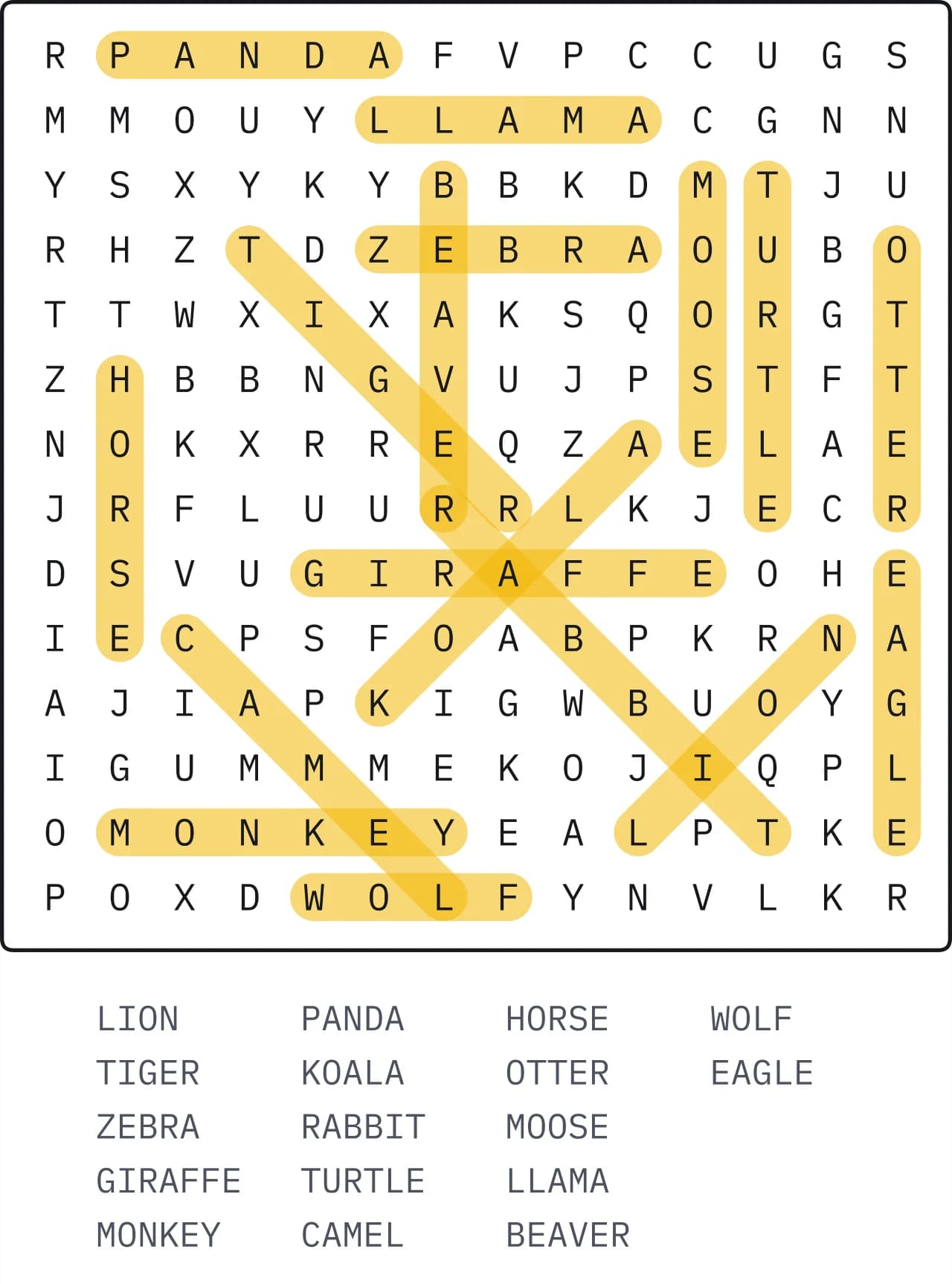
- Test input
- 14 x 14 grid, 17 words, seed sample-word-search-generato
- Output
- PNG + PDF with answer key
- Words
- 17
- Left out
- 0
- Directions
- medium
- Grid
- 14 x 14
- PDF size
- 15 KB
- Build time
- 26 ms
How we check word searches: a scan confirms that every listed word appears in the grid exactly once, and we open each PDF to check the grid, the answer key and the print size. More on the about page.
Word search generator FAQ
Is the word search generator free?
Yes. The live preview is free, and you get 1 export a day with a small credit line and no account.
How many words can one puzzle hold?
Up to 40 words. Long lists need a bigger grid, so add columns and rows if a word is left out.
Can a word show up twice in the grid?
No. The engine re-rolls filler letters until each listed word appears once. A short word inside a longer one is the only exception.
Does it make an answer key?
Yes. Every word gets a highlight band on the answer PNG and on page 2 of the PDF.
Can I get the same puzzle again?
Yes. Write down the seed shown above the preview. The same seed and settings always make the same puzzle.