Sudoku maker: make your own puzzle sheets, step by step
This sudoku maker helps you make your own puzzle sheets in a few clicks. First pick a grid size, then a level, and watch the preview change at once. Next, add a title and choose your paper. Finally, download a 300 DPI PNG and a PDF with the answer key on page two.
By The Mazeloom team (Product and testing). Last updated .
How to make your own sheet with the sudoku maker, step by step
- First, stay on the One sudoku tab and pick 4 x 4, 6 x 6 or 9 x 9.
- Then press Easy, Medium, Hard or Expert under Grid and level.
- Next, press New sudoku a few times and keep the grid you like best.
- After that, type a title on the PDF, choose US Letter or A4, and note the seed.
- Finally, press Download PNG + PDF to get the sheet and its answer key.
The live preview is always free, and you get one free PNG and PDF export a day. See the pricing page for Pro, $19 once, with clean files and a commercial license, or read how we test every puzzle.
Choosing the right size in the sudoku maker
Size is the first choice, and it matters most for beginners. A 4 x 4 grid holds the digits 1 to 4 in four small boxes. It is a good first puzzle for a young child, or for anyone who has never solved a sudoku. In fact, a whole puzzle takes only a few minutes.
Next comes 6 x 6. Here each box has 2 rows and 3 columns, and the digits run from 1 to 6. The tool suggests it for ages 6 to 9. It is also a nice middle step for adults who find 9 x 9 too big at first.
Then there is the classic 9 x 9 grid. This is the size most people know from newspapers and puzzle books. So once a 6 x 6 feels easy, move up to 9 x 9 on Easy.
Picking a level for a first puzzle
Each level sets how many clues stay in the grid. On a 9 x 9 sheet, Easy keeps about 40 clues and Expert about 23. On 6 x 6 the targets are about 20, 16, 13 and 11. For 4 x 4, they drop to about 8, 6, 5 and 4.
For a beginner, start with Easy or Medium. These two levels can always be solved with singles. That means you look for a cell where only one digit fits, or a digit that fits in only one cell of a row, column or box. You never have to guess.
Hard and Expert are a different story. They still have one solution, but they may need advanced steps. Therefore, save them until the easier levels feel quick.
Small touches that make a sheet your own
First, a title makes the page feel finished. You can type up to 60 characters, for example a child's name, a class or a date. Then the title prints at the top of the PDF.
In addition, two check boxes change the look. Symmetric clue pattern gives the classic newspaper layout, where the clues match after a half turn. Large print digits make the numbers bigger, which helps young kids and older eyes alike.
The seed is your save button. Our test sheet used seed sample-sudoku-maker on a 9 x 9 Easy grid, and it kept 40 clues with exactly 1 solution. Type the same seed and settings later, and the very same sheet comes back.
What the sudoku maker will not let you do
You cannot type your own clues into the grid. Instead, the tool builds every puzzle and checks that it has one solution. This keeps beginners safe from broken puzzles that have no answer or two answers.
Also, the maker sticks to classic number sudoku. It does not make killer, word, diagonal or 16 x 16 puzzles, and it does not add pencil marks. You print the sheet and solve it on paper, because there is no online solving mode.
Sudoku maker choices for beginners
| Choice | What to pick |
|---|---|
| First puzzle ever | 4 x 4 grid, Easy (about 8 clues) |
| Young solvers, ages 6 to 9 | 6 x 6 grid, Easy or Medium |
| Adult beginner | 9 x 9 grid, Easy (about 40 clues) |
| Bigger numbers | Large print digits |
| Newspaper look | Symmetric clue pattern |
| Paper | US Letter or A4 |
Sudoku maker tested with a real run
We built this sudoku with the same code the tool on this page uses, with this page's settings and a fixed seed. So the image and the numbers below come from that run, not from a mockup.
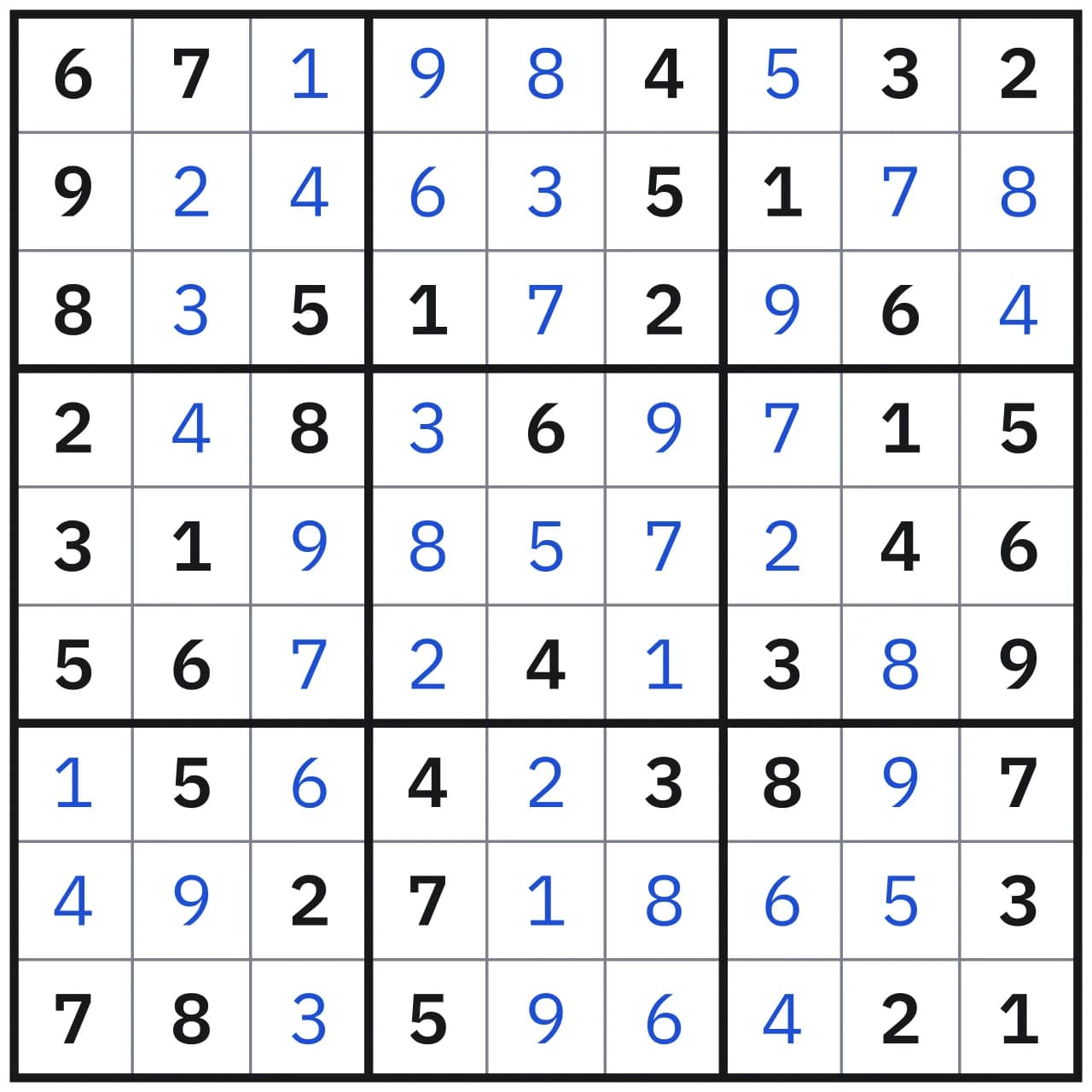
- Test input
- 9 x 9 easy sudoku, seed sample-sudoku-maker
- Output
- PNG + PDF with answer key
- Clues
- 40
- Solutions
- 1
- No guessing
- yes
- Level
- easy
- PDF size
- 13 KB
- Build time
- 32 ms
How we check sudoku: a solver confirms that each puzzle has exactly one solution, and we open each PDF to check the grid, the answer key and the print size. More on the about page.
Sudoku maker FAQ
Is the sudoku maker hard to use?
No. You pick a size and a level, and the preview updates at once. A sheet takes about a minute to set up.
Which size should a child start with?
Start with 4 x 4 on Easy. Then move to 6 x 6, and later to 9 x 9.
Do I get the answers?
Yes. Tick Show the answer to see it on screen. The download also has an answer PNG and an answer page in the PDF.
Can I enter my own clues?
No. The tool picks the clues so every puzzle has exactly one solution.
How many sheets can I make for free?
The preview is unlimited. You can download 1 sheet a day for free, with a small credit line at the bottom.