Minecraft maze generator
This Minecraft maze generator gives you a pixel plan where every square is one block. Pick a small or medium size, press New maze, and then build the walls row by row in your world. Download the plan as a 300 DPI PNG or a two page PDF with the solution, free for one export a day.
By The Mazeloom team (Product and testing). Last updated .
How to plan a build with the Minecraft maze generator, step by step
- First, choose Square grid and set the style to Block / pixel.
- Then pick the size. For example, 15 by 15 cells makes a 31 by 31 block footprint.
- Press New maze until you like the layout, and write down the seed.
- Download the PNG and open it on a second screen or a tablet.
- Next, mark out the outer wall in your world, one block per square.
- Finally, place the inner walls row by row, and use the answer page to test the route.
The live preview is always free, and you get one free PNG and PDF export a day. See the pricing page for Pro, $19 once, with clean files and a commercial license, or read how we test every puzzle.
Why a pixel plan works for block builds
Most maze pictures use thin lines, so you have to guess where a wall starts and stops. A block plan removes the guessing. Each wall is one full square, and each path is one full square, so the picture lines up with the block grid in the game.
As a result, you can read the plan like a recipe. Start at the top left corner, count the dark squares in the first row, and place that many blocks. Then move one row down and repeat. Because every row is the same width, you always know where you are, even on a big build.
How many blocks a Minecraft maze generator plan needs
The footprint follows one rule. A maze with c columns and r rows is 2c + 1 blocks wide and 2r + 1 blocks long. So a 15 by 15 maze takes a 31 by 31 area, and a 20 by 20 maze takes a 41 by 41 area.
The wall count is easy to work out too. In a plan without loops, one layer of wall uses 2cr + 2c + 2r + 2 blocks. For example, a 15 by 15 maze needs 512 blocks per layer. If you build the walls three blocks high, that is 1,536 blocks, or exactly 24 stacks of 64. Each opening at the entrance or exit saves a few blocks, and loops save a few more.
Therefore, size matters a lot in survival mode. A small maze of 10 by 10 cells needs about 242 blocks per layer, which is fine for a weekend. However, a 30 by 30 maze needs about 1,922 per layer, so plan your mining or use creative mode.
Settings for a fun maze in your world
The algorithm changes how the build feels from the inside. Long winding paths give long halls that turn often, which is great for a hedge maze or a castle cellar. On the other hand, many short dead ends make players stop and turn back more often, which suits a race against friends.
Also, try a few loops. When some dead ends get a second way out, players can take more than one route. That makes a hide and seek map more fun, because nobody gets trapped in a single corridor. Finally, keep the entrances on the sides if you want the start and the finish to face a path or a village road.
What the tool exports, and what it does not
The tool makes images, not game files. You get a 300 DPI PNG, an answer PNG and a two page PDF, and Pro adds an SVG. There is no schematic, no world file and no command to paste, so you place the blocks yourself or with your own building tools.
Mazeloom is not affiliated with Mojang or Microsoft. In addition, the free files carry a small credit line, while Pro removes it and adds a commercial license. That helps if you sell a map pack or show the build in a video.
Block counts in this Minecraft maze generator
| Maze size (cells) | Footprint and wall blocks per layer |
|---|---|
| 10 x 10 | 21 x 21 area, about 242 blocks |
| 15 x 15 | 31 x 31 area, about 512 blocks |
| 20 x 20 | 41 x 41 area, about 882 blocks |
| 25 x 25 | 51 x 51 area, about 1,352 blocks |
| 30 x 30 | 61 x 61 area, about 1,922 blocks |
Minecraft maze generator tested with a real run
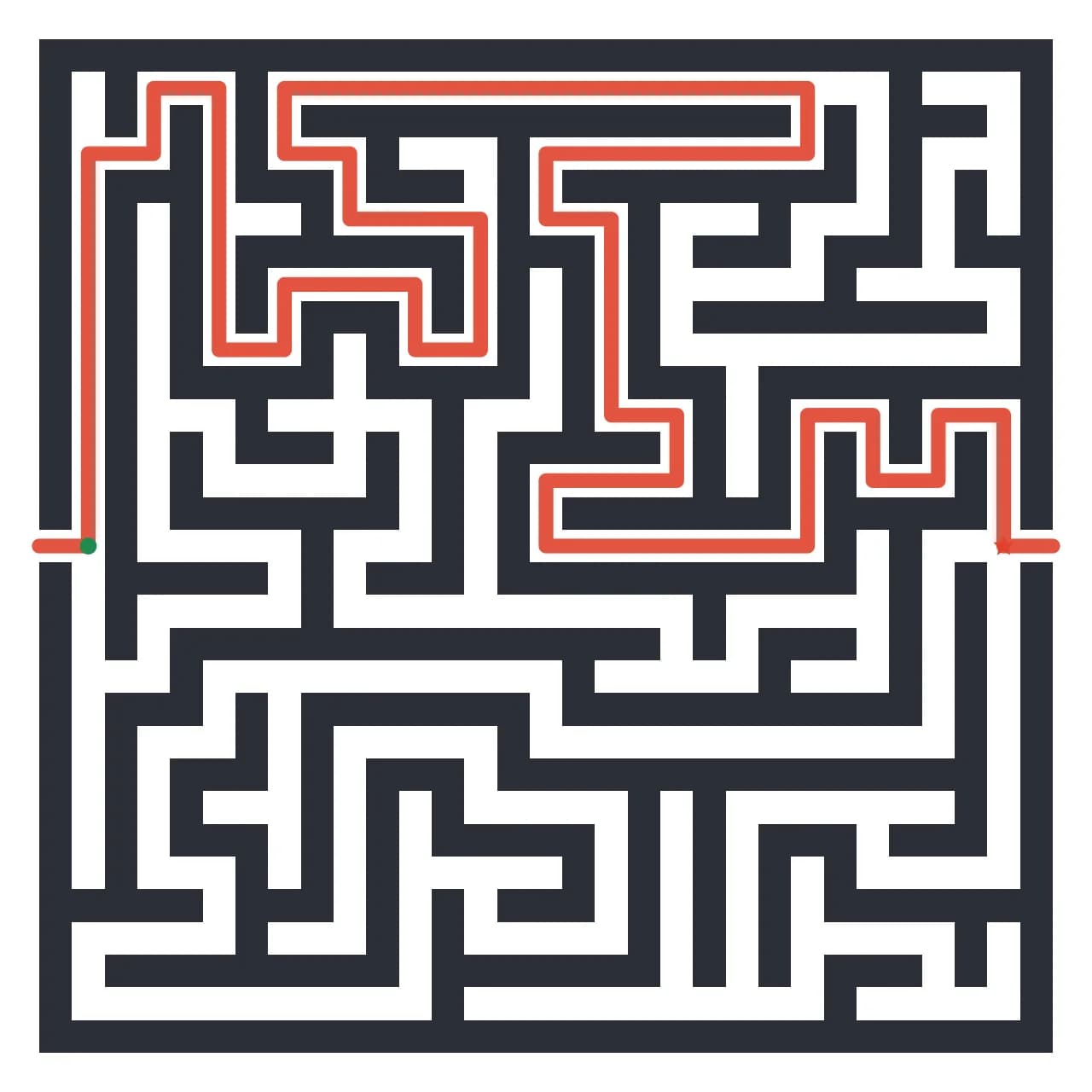
We built this maze with the same code the tool on this page uses, with this page's settings and a fixed seed. So the image and the numbers below come from that run, not from a mockup.
- Test input
- 15 x 15 grid, seed sample-minecraft-maze-gener
- Output
- PNG + PDF with answer key
- Cells
- 225
- Dead ends
- 27
- Loops
- 0
- Answer length
- 63 cells
- PDF size
- 15 KB
- Build time
- 15 ms
How we check mazes: a solver walks every maze before it is saved, and we open each PDF to check the page, the answer key and the print size. More on the about page.
Minecraft maze generator FAQ
Can I download a schematic or a world file?
No. The tool exports PNG, PDF and SVG images only. You use the picture as a plan and place the blocks by hand.
What size should I pick for survival mode?
Start with 10 by 10 or 15 by 15 cells. Those plans fit in a 21 or 31 block square and need a few hundred blocks per layer.
How tall should the walls be?
Most players use three blocks, so nobody can see or jump over the walls. Multiply the blocks per layer by three for the full count.
Can two players build the same maze?
Yes. Share the seed and the size. The same seed and settings always rebuild the same plan on any device.