Printable maze generator
This printable maze generator sizes every maze for US Letter or A4 paper. Add a title, choose thin, medium or bold walls, and switch on black ink if you like. Then download a 300 DPI PNG and a two page PDF, with the puzzle on page one and the answer on page two.
By The Mazeloom team (Product and testing). Last updated .
How to use the printable maze generator, step by step
- First, choose US Letter or A4 to match the paper in your printer.
- Then type a title, such as a class name or a theme, for the top of the page.
- Next, pick a line weight and turn on Black ink only to save color toner.
- Press New maze until the layout looks right, and check the answer.
- Finally, download the PDF and print it at 100% scale.
The live preview is always free, and you get one free PNG and PDF export a day. See the pricing page for Pro, $19 once, with clean files and a commercial license, or read how we test every puzzle.
Paper sizes in the printable maze generator
Home printers in the United States use US Letter, which is 8.5 by 11 inches. Most other countries use A4, which is a little narrower and a little taller. So the tool asks for your paper first and fits the maze inside safe margins on that sheet.
This matters more than it sounds. A file made for the wrong paper gets shrunk or cut off by the printer driver. As a result, the walls get thin and the outer edge can disappear. When the PDF matches your paper, you can print it at 100% scale and the maze lands in the middle of the page every time.
Why 300 DPI and line weight matter on paper
A screen shows about 100 pixels per inch, but paper needs more. Therefore, the PNG comes out at 300 DPI, which is the usual standard for sharp prints. The lines stay crisp even when a child traces them with a pencil.
Line weight is the second half of a clean print. Thin walls suit big expert mazes, because the paths are narrow and thick lines would fill them in. On the other hand, bold walls suit inkjet printers and photocopiers, since copies tend to fade. Medium sits in between, so it works for most worksheets.
In addition, the Black ink only switch turns every color into black on white. That keeps toner costs low, and it also makes the page easy to copy for a whole class.
The answer page and the title line
Every PDF has two pages. The first page is the puzzle, and the second page is the same maze with the solution drawn in red. Because the answer sits on its own sheet, you can print page one for the class and keep page two for yourself.
You can also put a title of up to 60 characters at the top, for example "Friday Maze" or "Space Week, Level 2". The title prints above the maze in the PDF and in the PNG. Then, if you want the same maze again next year, note the seed. The same seed and settings rebuild the exact same page.
Tips for a clean print at home or school
First, open the PDF and print it, rather than the PNG, since the PDF already holds the right page size. Next, check that your print dialog says 100% or Actual size, not Fit to page. Finally, if the walls look gray, switch to bold and print again.
For a stack of different mazes, use the Puzzle book tab instead. It builds up to 100 mazes in one PDF, so you print once and not one page at a time.
Print settings in the printable maze generator
| Setting | Options |
|---|---|
| Paper | US Letter (8.5 x 11 in) or A4 (210 x 297 mm) |
| Resolution | 300 DPI PNG |
| Line weight | Thin, medium or bold |
| Color | Full color or Black ink only |
| Two pages: the puzzle, then the answer key | |
| Title | Optional, up to 60 characters |
Printable maze generator tested with a real run
We built this maze with the same code the tool on this page uses, with this page's settings and a fixed seed. So the image and the numbers below come from that run, not from a mockup.
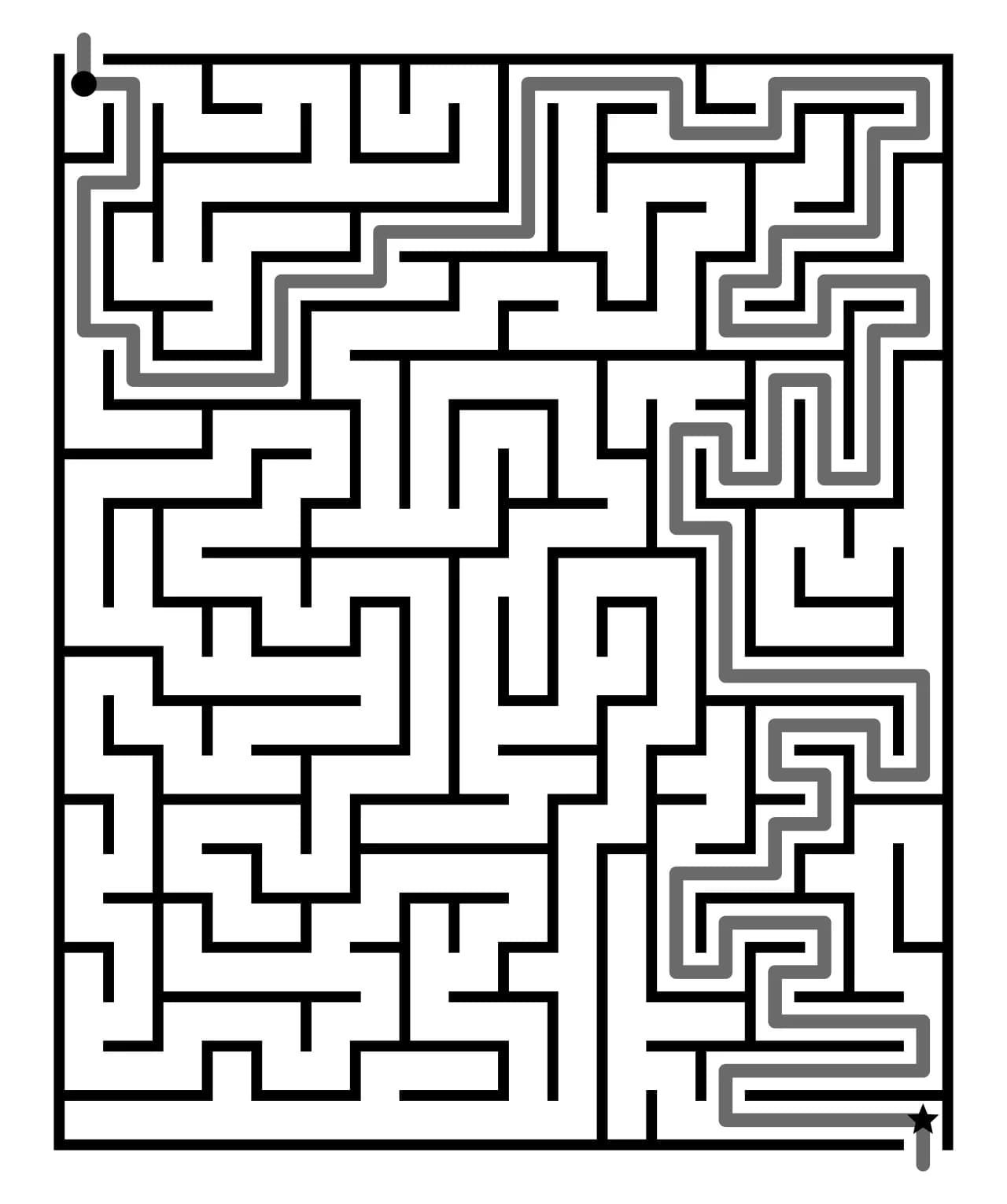
- Test input
- 18 x 22 grid, seed sample-printable-maze-gener
- Output
- PNG + PDF with answer key
- Cells
- 396
- Dead ends
- 45
- Loops
- 0
- Answer length
- 107 cells
- PDF size
- 12 KB
- Build time
- 20 ms
How we check mazes: a solver walks every maze before it is saved, and we open each PDF to check the page, the answer key and the print size. More on the about page.
Printable maze generator FAQ
Which paper size should I pick?
Pick US Letter in the United States and Canada. Pick A4 almost everywhere else. If you are not sure, look at the size printed on the paper pack.
Why does my printed maze look smaller than the screen?
Your print dialog is probably set to Fit to page. Set it to 100% or Actual size, and the maze will fill the sheet as planned.
Can I print the puzzle without the answer?
Yes. The PDF puts the answer on page two, so print only page one. There is also a separate answer PNG.
Is the printable PDF free?
Yes. You get one free export a day with a small credit line at the bottom. Pro gives clean files with a commercial license.