Printable sudoku generator for home and classroom printers
This printable sudoku generator makes sheets that print cleanly on any home or school printer. Choose US Letter or A4, a grid size and a level. Turn on large print if you need bigger digits. Then download a 300 DPI PNG, or a two page PDF with the puzzle first and the answer key second.
By The Mazeloom team (Product and testing). Last updated .
How to print a sheet from the printable sudoku generator, step by step
- First, pick a grid size and a level under Grid and level.
- Then tick Large print digits if the solver needs bigger numbers.
- Next, type a title on the PDF and choose US Letter or A4 under Paper.
- After that, press New sudoku until you like the grid, and check it with Show the answer.
- Finally, press Download PNG + PDF, open the PDF and print it at 100% scale.
The live preview is always free, and you get one free PNG and PDF export a day. See the pricing page for Pro, $19 once, with clean files and a commercial license, or read how we test every puzzle.
PNG or PDF: which file to print
Every download gives you both formats. So the choice is about how you plan to use the sheet, not about quality.
The PDF is the easiest file to print. It is already sized to your paper, with the puzzle on page one and the answer key on page two. Also, the digits are real text in the PDF, so they stay sharp at any zoom. For a quick print at home, open the PDF and print page one.
The PNG is a 300 DPI image, 2,400 pixels on the long side, or 8 inches at print size. Therefore, it suits a worksheet you build yourself in a word processor or a slide app. You get a second PNG with the answer filled in, too.
Paper size and printer settings
Pick US Letter for printers in the United States and Canada. Pick A4 for most other countries. If you choose the wrong one, the printer may shrink the page or cut off an edge.
Next, check the scale in the print dialog. Choose Actual size or 100%, rather than Fit to page. In addition, the grid and the clues stay the same on both paper sizes, so one seed gives the same puzzle on Letter and on A4.
For a whole stack of sheets, try the Puzzle book tab. It builds one PDF with many puzzles, so a single print job covers a full week of practice.
Black ink and large print on a printable sudoku generator
The puzzle page uses near black digits and gray box lines on white paper. There are no shaded cells or color fills. As a result, it prints well with black ink only, and it saves toner on a school laser printer. On the answer page the filled digits are blue, which still reads fine in grayscale.
Large print digits make each number bigger inside its cell. This helps young children, people with low vision and anyone solving in dim light. However, the grid itself stays the same size, so large print works best on a 9 x 9 or 6 x 6 sheet.
Our test print used seed sample-printable-sudoku-gen on a 9 x 9 Hard grid. It kept 28 clues, and the solver confirmed exactly 1 solution.
What the printable sheets do not include
The sheets have no pencil mark boxes, no timer line and no score area. In other words, you get a clean grid, an optional title and, on free downloads, a small credit line at the bottom.
Also, the generator does not print several different puzzles on one Letter or A4 page in single mode. For two or four puzzles a page, use the Puzzle book tab with a trim of 8.5 x 11 inches.
Printable sudoku generator print settings
| Setting | Value |
|---|---|
| Paper | US Letter (8.5 x 11 in) or A4 |
| PNG | 300 DPI, 2,400 pixels on the long side, puzzle and answer |
| Two pages: puzzle, then answer key | |
| Ink | Near black digits and gray lines, no color fills |
| Large print | Bigger digits in the same grid |
| Free sheets | 1 a day, with a small credit line |
Printable sudoku generator tested with a real run
We built this sudoku with the same code the tool on this page uses, with this page's settings and a fixed seed. So the image and the numbers below come from that run, not from a mockup.
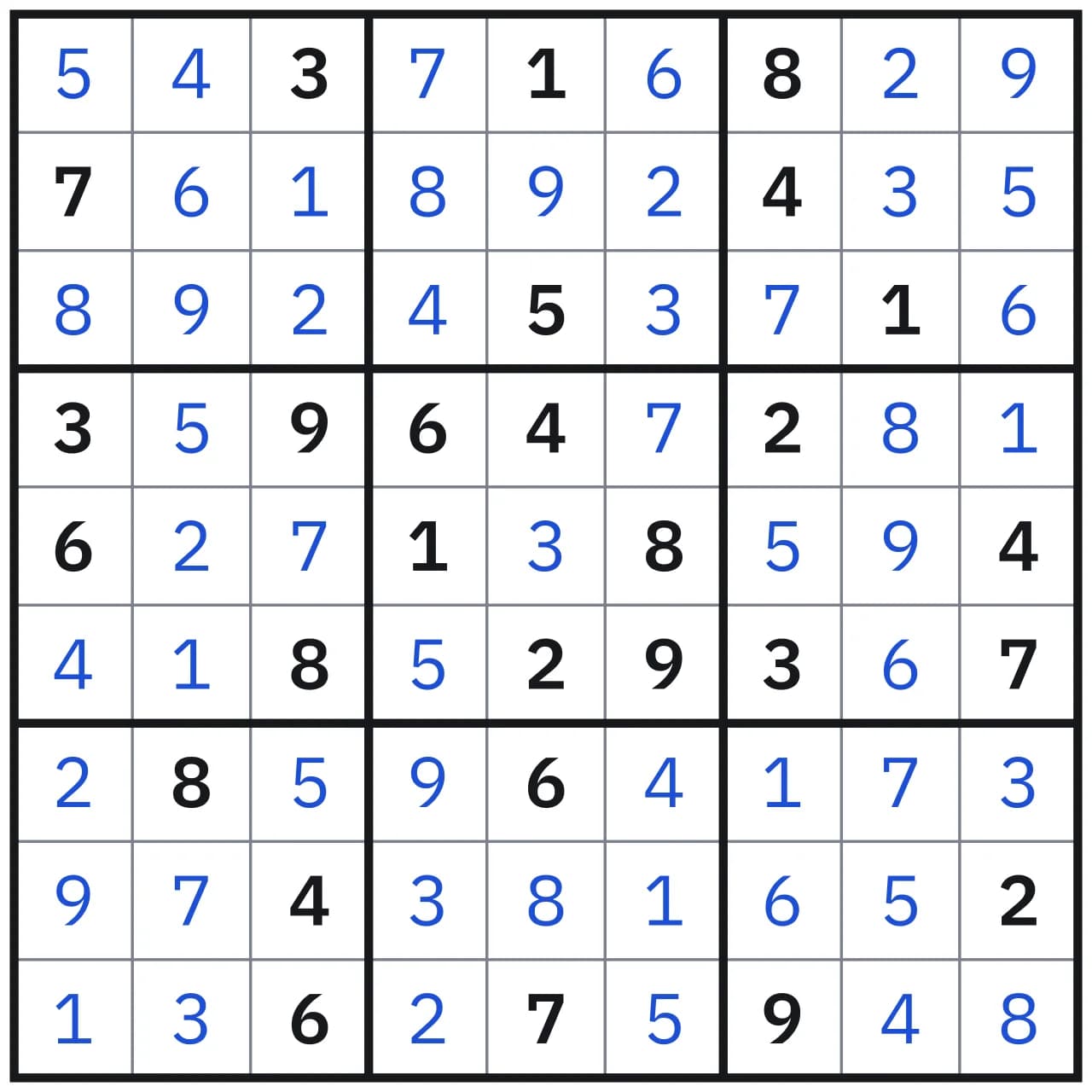
- Test input
- 9 x 9 hard sudoku, seed sample-printable-sudoku-gen
- Output
- PNG + PDF with answer key
- Clues
- 28
- Solutions
- 1
- No guessing
- yes
- Level
- hard
- PDF size
- 14 KB
- Build time
- 17 ms
How we check sudoku: a solver confirms that each puzzle has exactly one solution, and we open each PDF to check the grid, the answer key and the print size. More on the about page.
Printable sudoku generator FAQ
Should I print the PNG or the PDF?
Print the PDF for a quick sheet. Use the PNG when you place the puzzle inside your own worksheet.
Will the sheet print in black and white?
Yes. The puzzle uses near black digits and gray lines with no color fills, so black ink is enough.
Why is my printed grid smaller than expected?
The print dialog is probably set to Fit to page. Choose Actual size or 100% instead.
Can I print a large print sudoku?
Yes. Tick Large print digits before you download, and the numbers print bigger.
Is there an answer sheet to print?
Yes. Page two of the PDF is the answer key, and there is a separate answer PNG.